
Try it
Book a table, watch it land
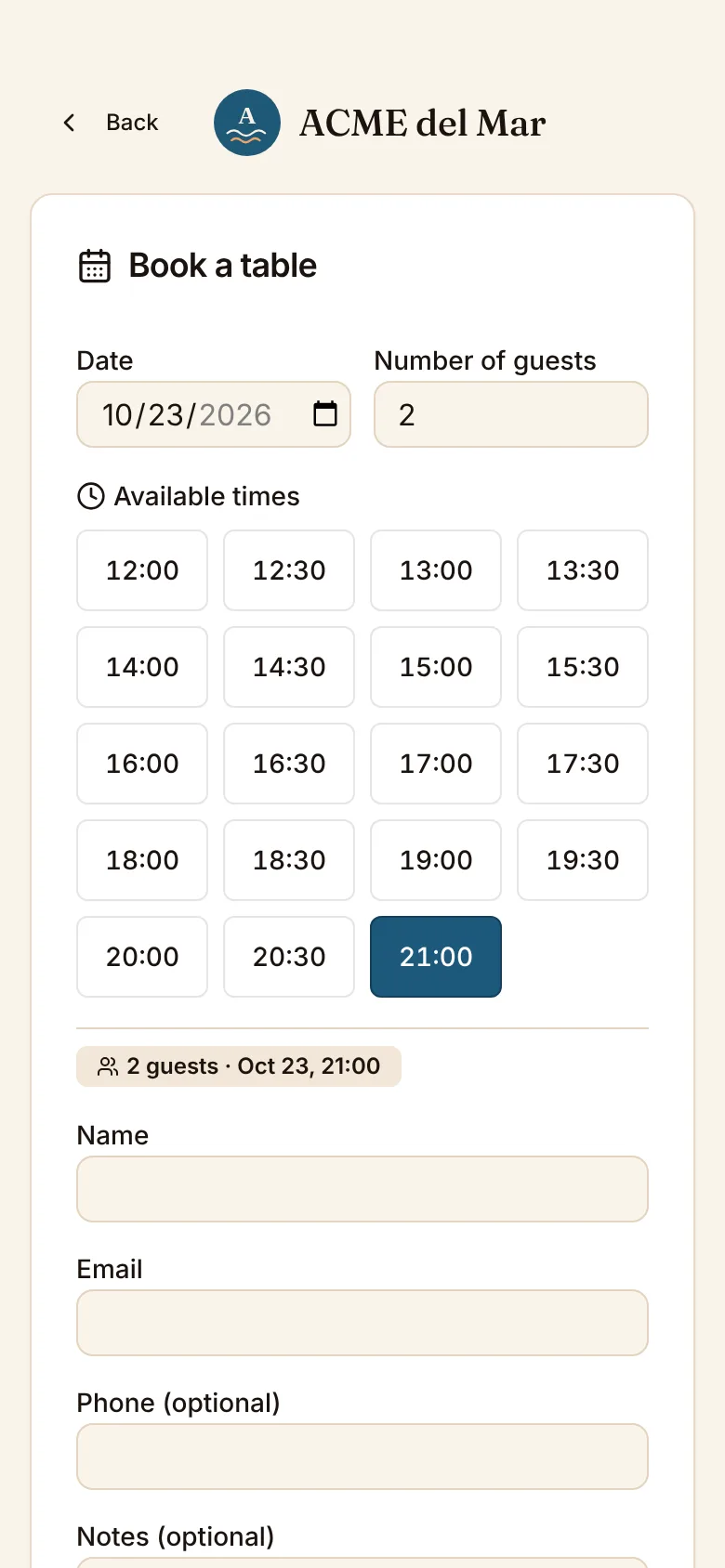
On the left, the booking page your guests use, with ComidaQR's default settings. On the right, your day.
Booking page
Date
Available times
Day book
Friday, October 23 · 31 covers
- 13:00Laia Ferrer2 people · T1Completed
- 13:30James Wilson3 people · T3Seated
- 14:00Pierre Dubois4 people · T4Seated
- 14:30Núria Soler6 peopleBooked
- 20:00Marta Rossi2 peopleBooked
- 20:30Hannah Becker4 peopleBooked
- 21:00Jordi Vidal8 peopleBooked
- 21:30Sofia Lindqvist2 peopleBooked
Your day
One list, from lunch to last orders
Every booking for the day, in order, with everything you can do with it.
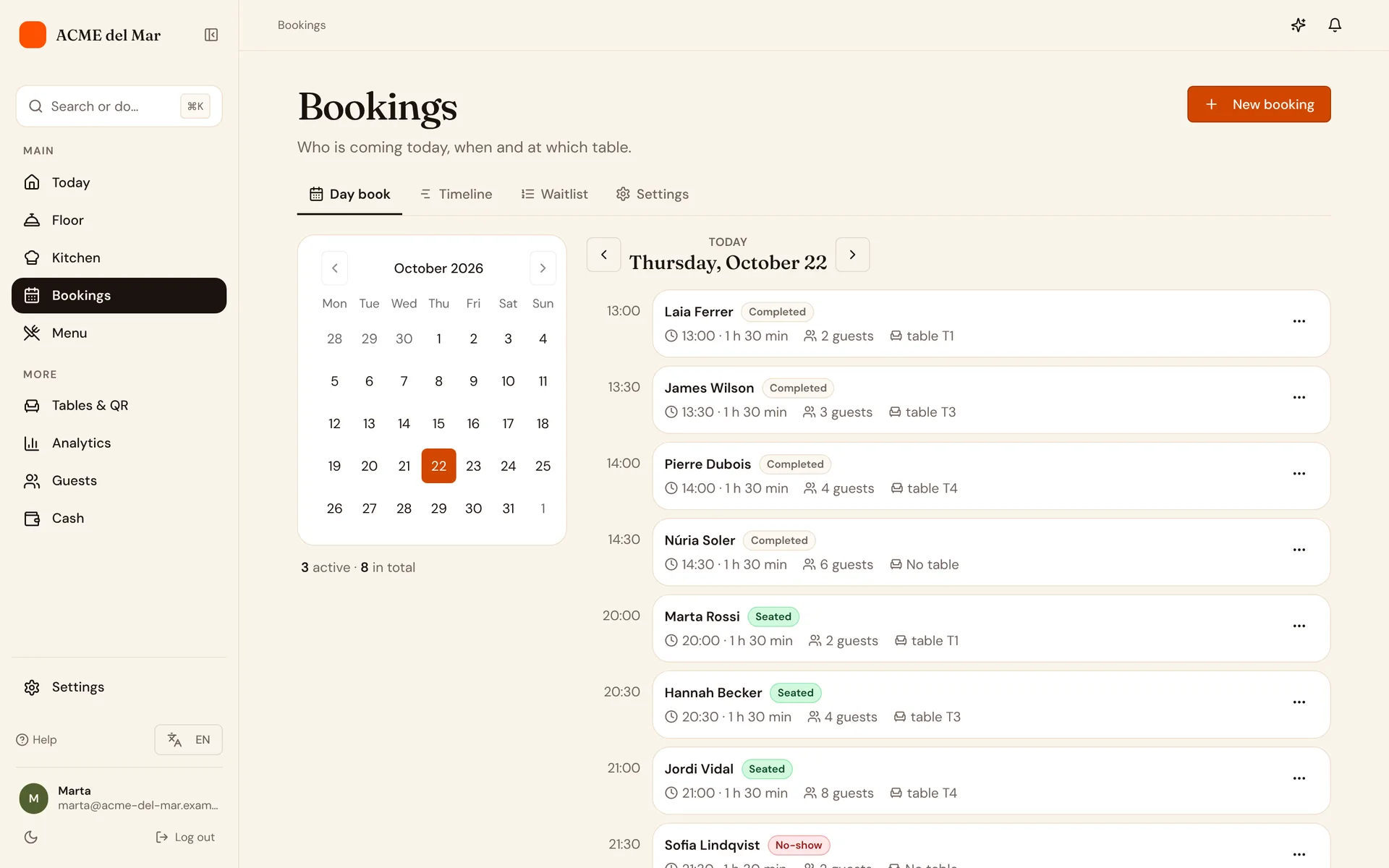
- Add bookings yourselfTook a booking by phone? Add it in a few taps.
- Seat in one tapSeating a booking opens its table with a 4-digit code, ready to order.
- No-shows handle themselvesA booking still waiting after the grace period is marked as a no-show.
- Clashes stand outTwo bookings at the same table at the same time are flagged so you can move one.
For your guests
Booked, confirmed, flexible
Guests get an email for every change, with a link to manage their booking.
Confirmation
Sent as soon as the booking is made, with the link to manage it.
Change
Guests can move the date, time or party size themselves until the day.
Cancellation
If plans change, they cancel from the link and the table is free again.
Your rules
You decide how people book
Set it once in the reservation settings. These are the defaults.
Also for bookings
Fewer no-shows, better-placed tables
Deposits on bookings
Deposits on online bookings, refunded when cancelled in time
From BistroReminders by SMS and WhatsApp
SMS and WhatsApp reminders (300 or 600 a month, add-on)
Add-onBookings on the floor map
Upcoming bookings on the live floor map
From GrandeSee how: Bookings on the floor mapGuest profiles
Guest profiles with opt-in consent, and email campaigns to those who opted in
From GrandeSee how: Guest profiles