
AI
Ask your restaurant,it answers with your numbers.
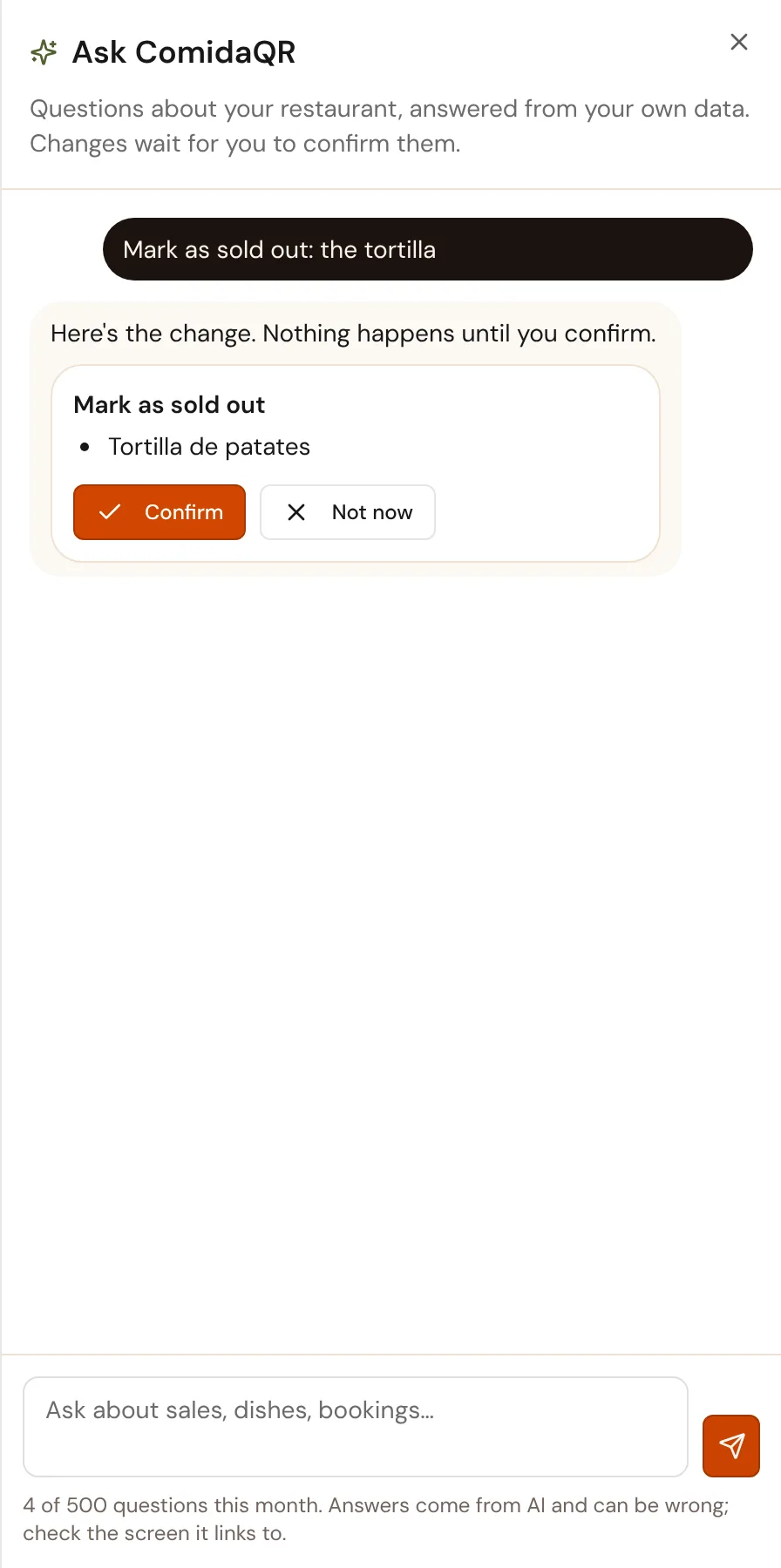
The assistant in your console answers from your own sales, bookings and menu, and says which screen each figure comes from. When you ask for a change, it shows you the change and waits for your OK.
14 days free · No card needed
How our AI works
Three rules it never breaks
Figures come from your data
Every number is read from your sales, bookings and menu. If there's nothing for a day, it says so instead of guessing.
It shows where
Each answer links to the screen its figures come from, so you can check them.
You confirm every change
Sold out, prices, opening hours and bookings: it proposes, you tap to confirm, and the change goes through the same checks as on the screen.
The assistant
Questions you'd ask your manager
Open it from the top bar of the console, in your language.
- How did sales go yesterday?
- Who's booked tonight?
- Which dishes didn't sell this week?
- Mark the tortilla as sold out
Your menu, read for you
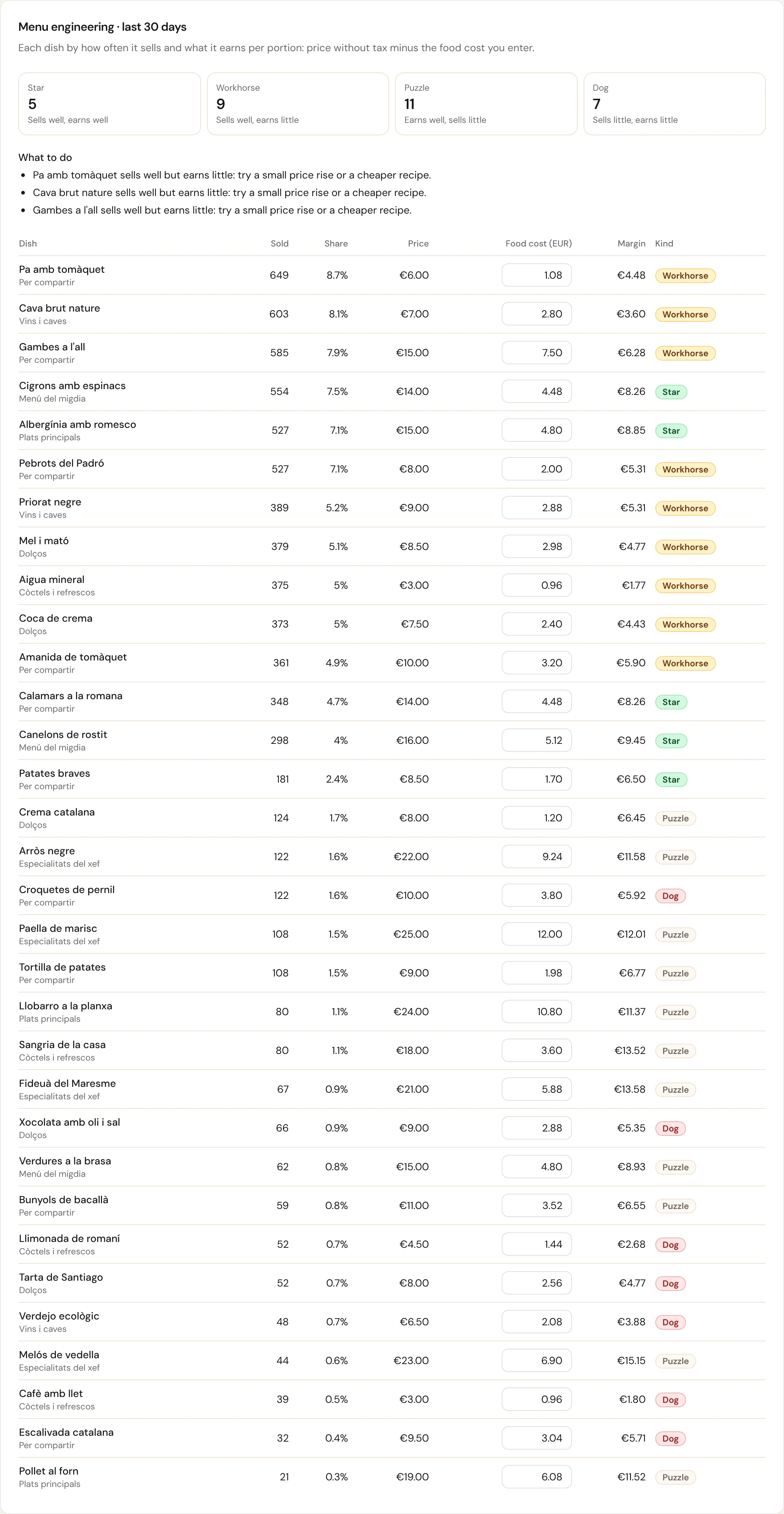
Which dishes earn, and which to rethink
Menu engineering sorts every dish by how much it sells and how much it earns, with what to do about each. Every Monday the AI puts the week into a few plain sentences, in the console and in your email.
For your guests
Found by AI assistants, ordered through them
Menus AI assistants can read
Your menu, prices, allergens, hours and links are published in a form AI assistants understand, so they answer about you correctly.
Every planPickup orders from ChatGPT, Claude and others
Through the ComidaQR connector, a guest's assistant can place a pickup order by your rules; the guest pays on your own pickup page.
From BistroAI in the rest of ComidaQR
Where it already saves you time
Menu from a photo
Photograph your menu and get every dish, price and section ready to check.
From MenuAI menu importMenus in every language
Your menu translated for each guest, and you can correct any line.
From MenuMultilingual menusFloor plan from a photo
Draw your dining room from a photo or a sketch, then adjust it.
From MenuFloor plan