
Who it's for
Pick a seat at the table
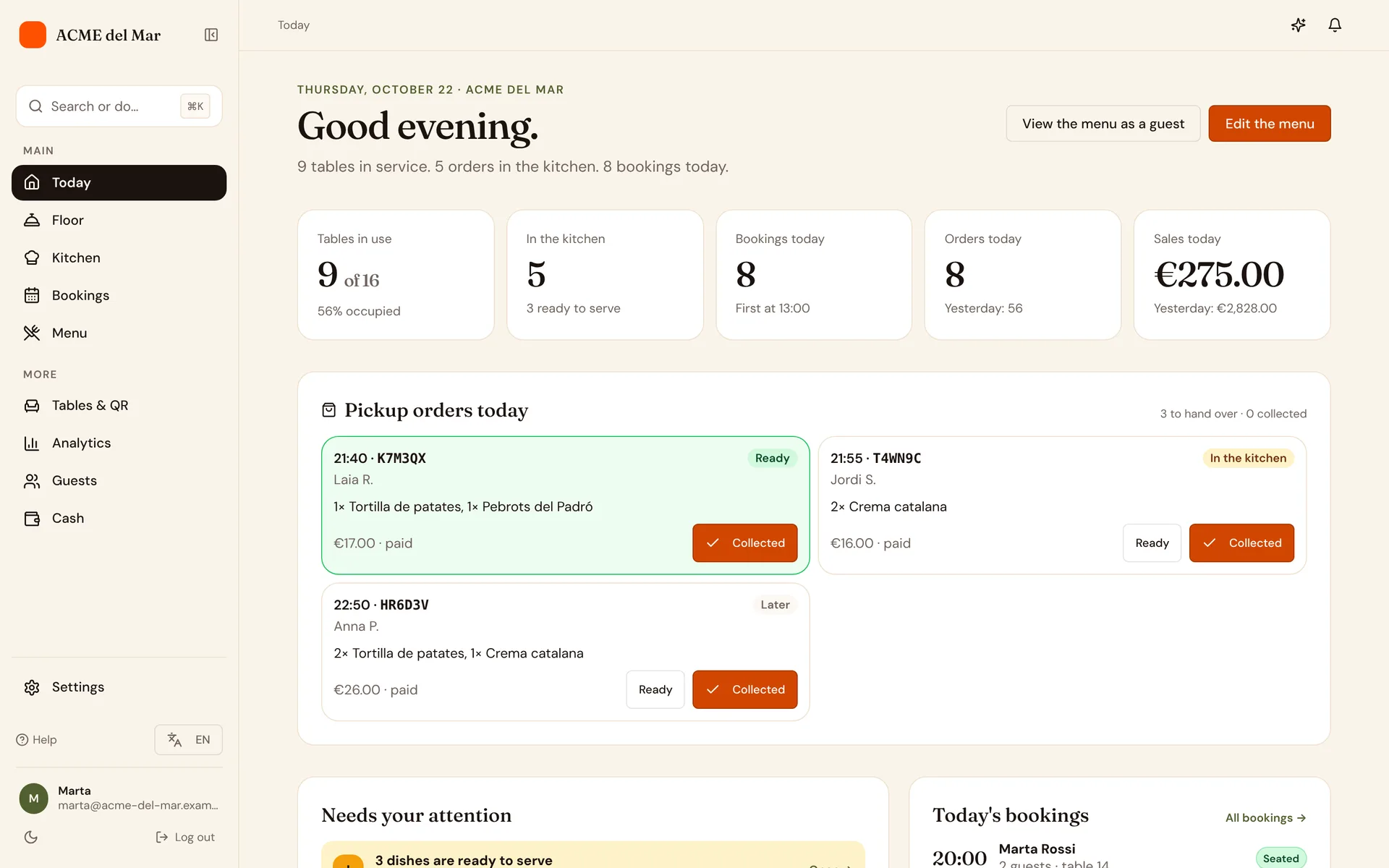
Each person gets the screen that fits their job. Choose one to see what changes.
Run the whole menu from one place
Build menus, sections and dishes, set prices and allergens, design your QR codes and invite the team.
- Menus, sections, dishes and variants, with bulk price changes
- Allergens on every dish, as your country's law lists them
- Staff invites with admin, floor and kitchen roles
- Sessions, orders, reservations and popular dishes at a glance
A walk through the product
From the first dish to the last coffee
Scroll through the tools a restaurant uses every day. Each one is the real product, not a mock-up.
Menu editor
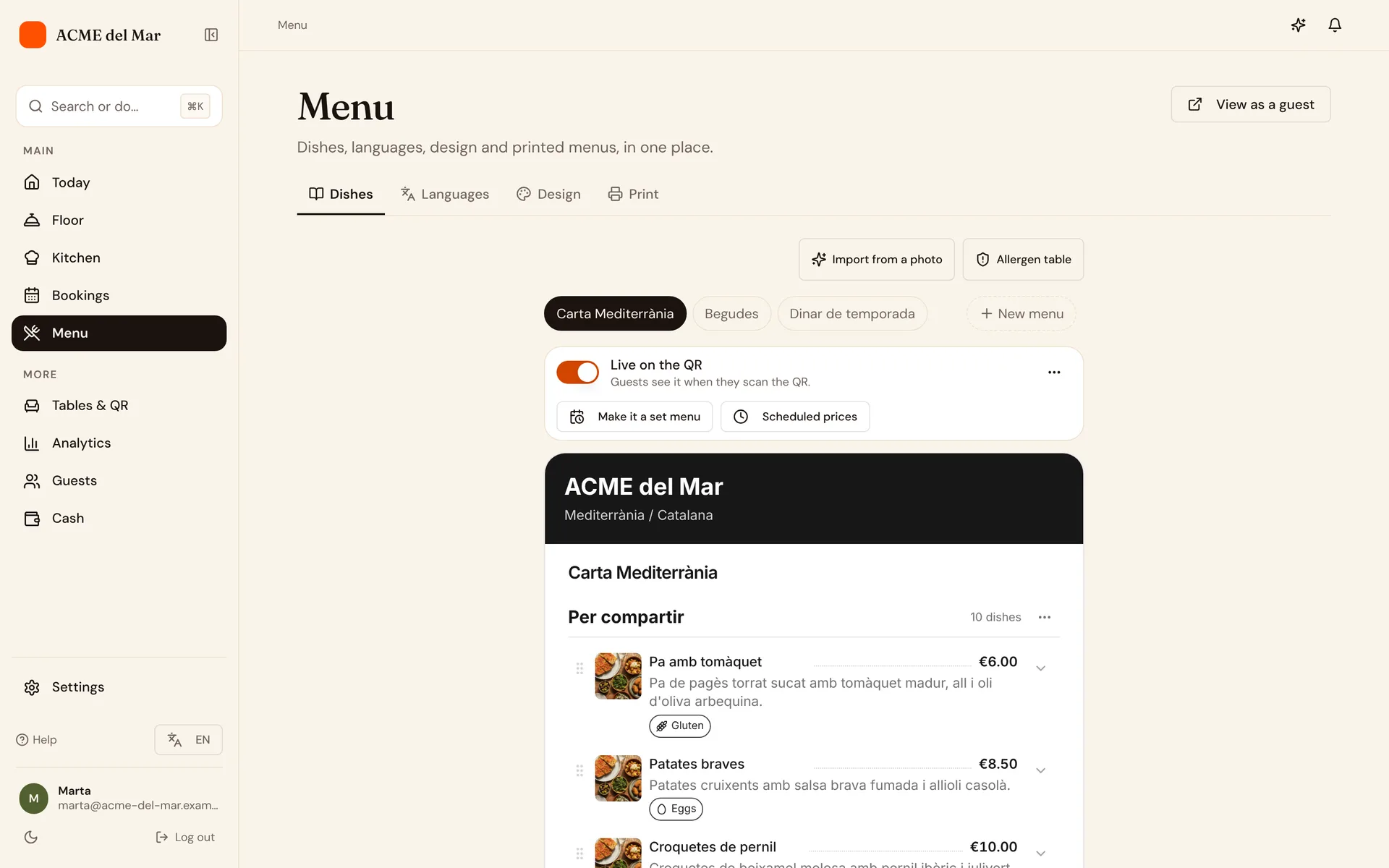
Write the menu once
Menus, sections, dishes and variants with prices, descriptions and allergens. Reorder with a click and change prices in bulk.
Analytics
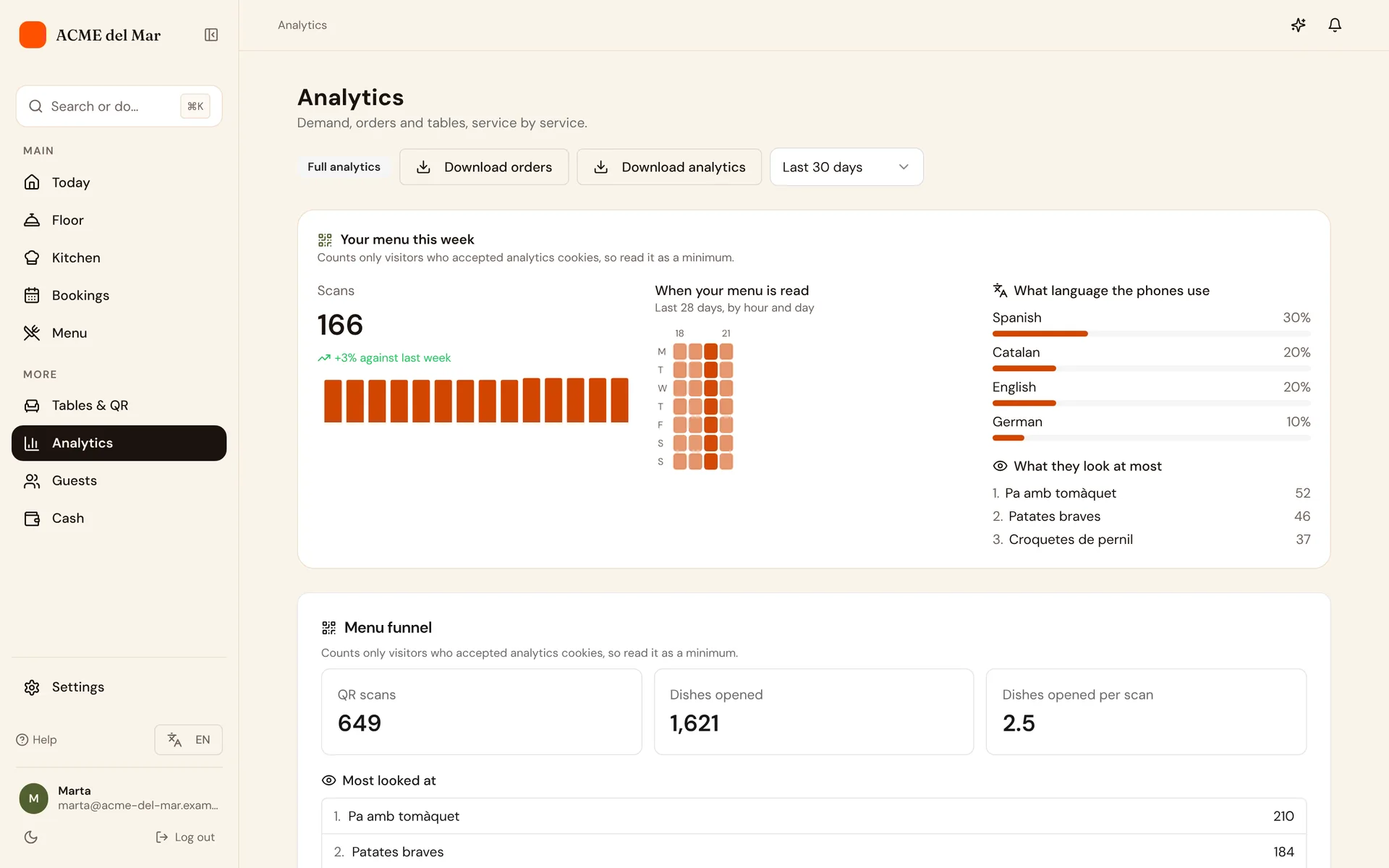
Know what sells
Sessions, orders, reservations and your most-ordered dishes over the last 7, 30 or 90 days.
The full list
Everything, in one place
This is what ComidaQR does today, with no extra apps to install. The pricing page shows what each plan includes.
Menu
- Several menus, with sections, dishes and variants
- Prices, descriptions and a photo per dish
- Allergens as your country's law lists them, and dietary tags
- Bulk price changes and quick reordering
- AI import from PDF or photos
Languages
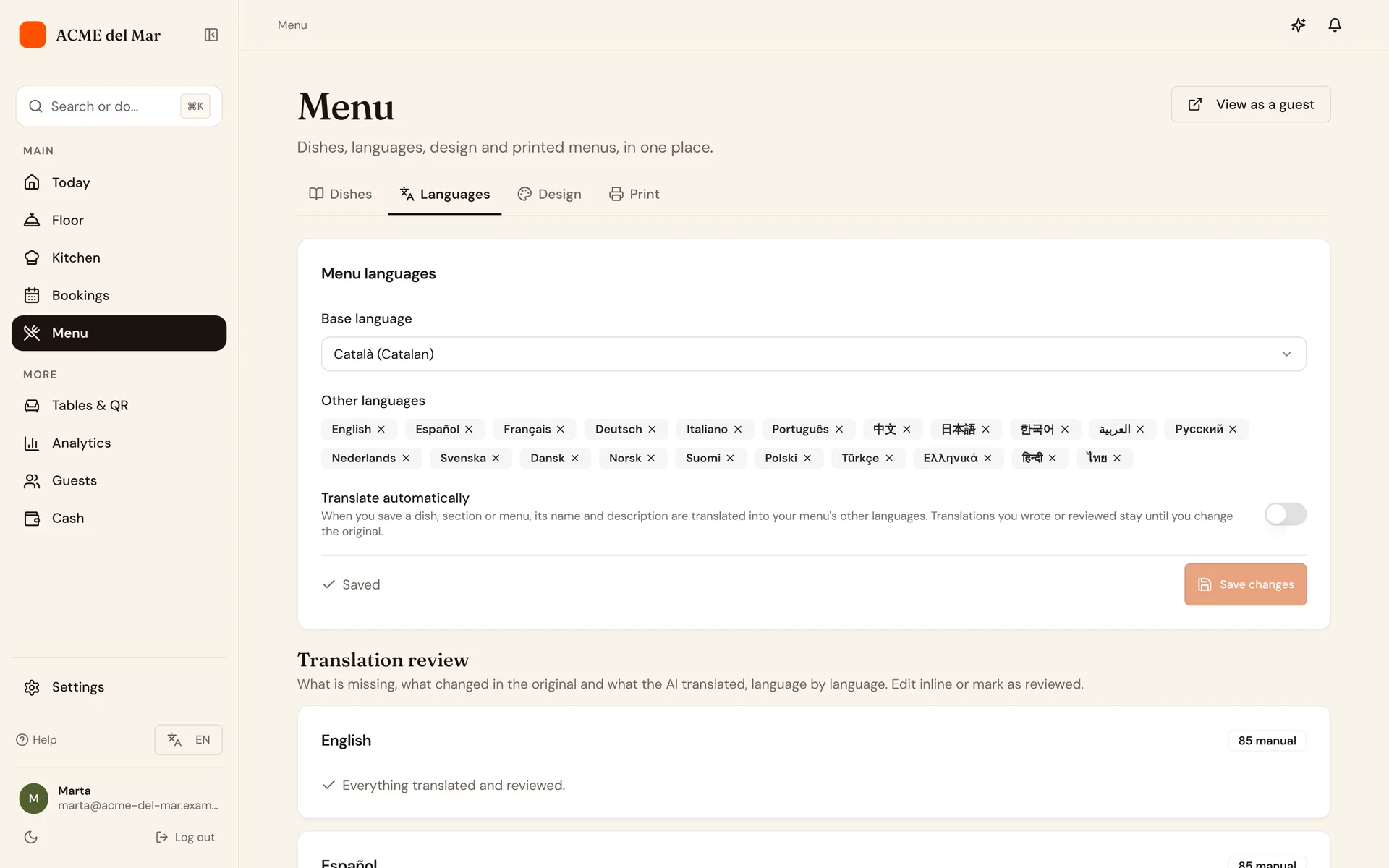
- 22 menu languages
- AI translation per dish, section or menu
- Edit any translation by hand
- Allergen and tag labels translated for you
Guests
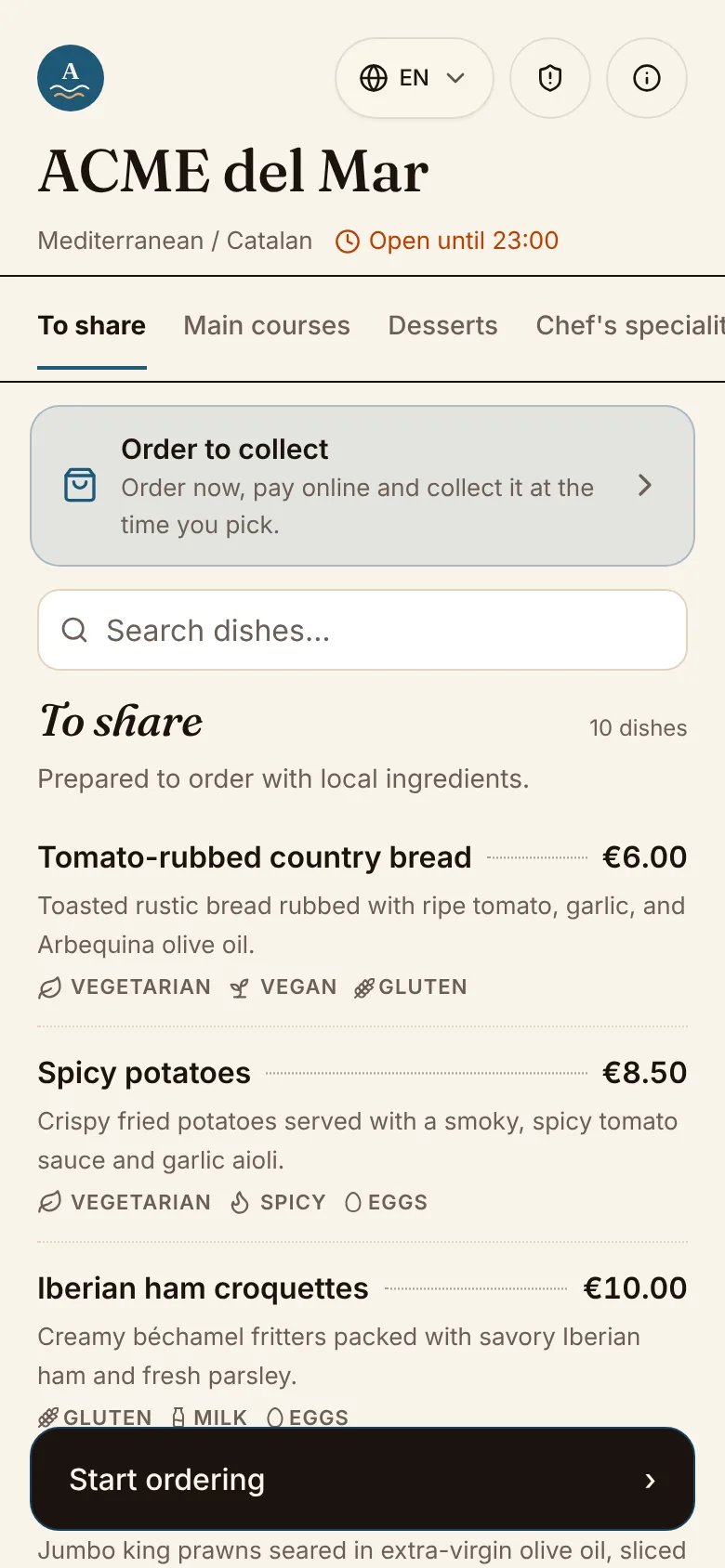
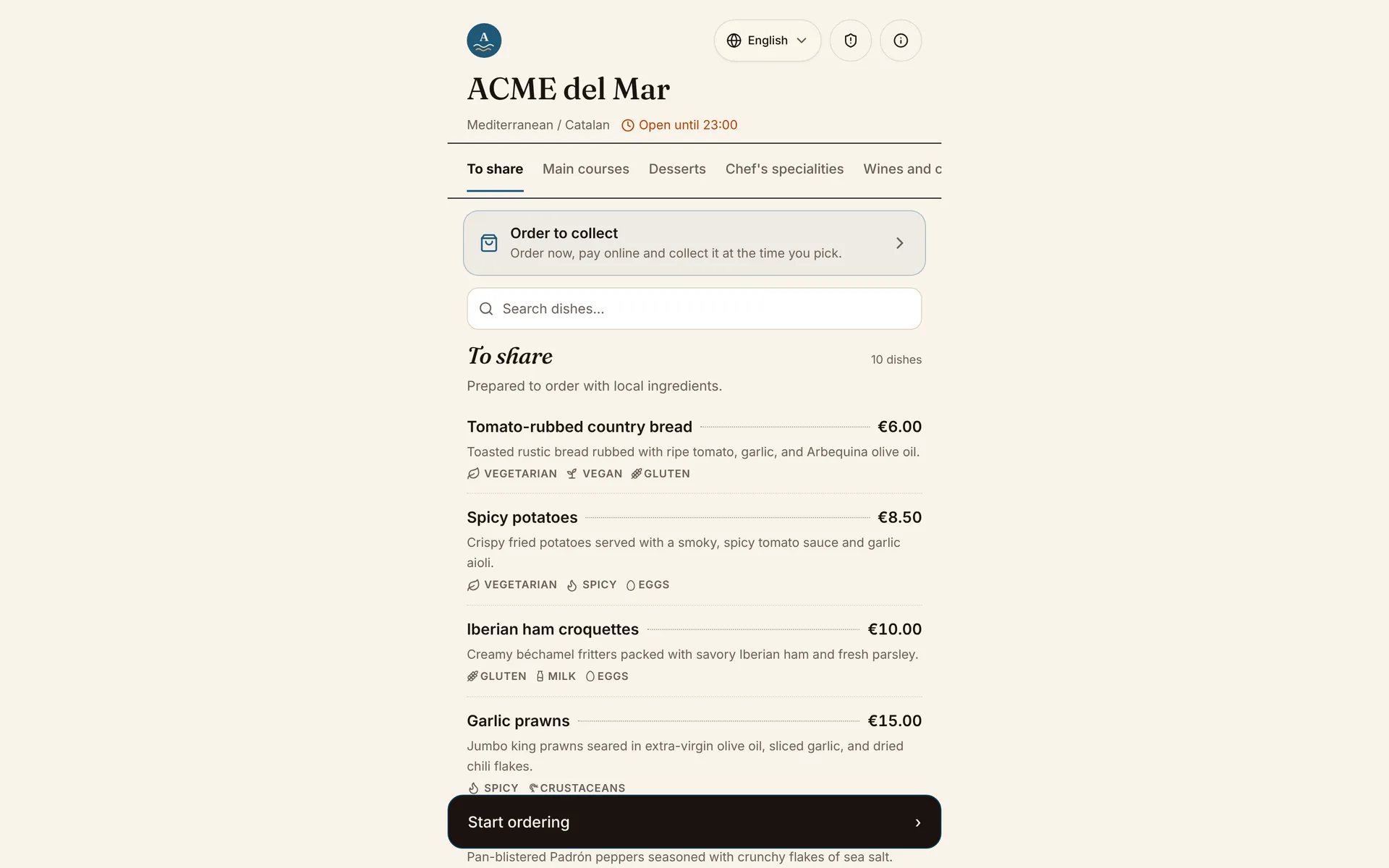
- Menu opens from a QR code, no app
- Language picker on the menu, for the dishes and the buttons
- Wi-Fi details, opening hours and social links
- Private feedback after the bill, then your Google review link
Service
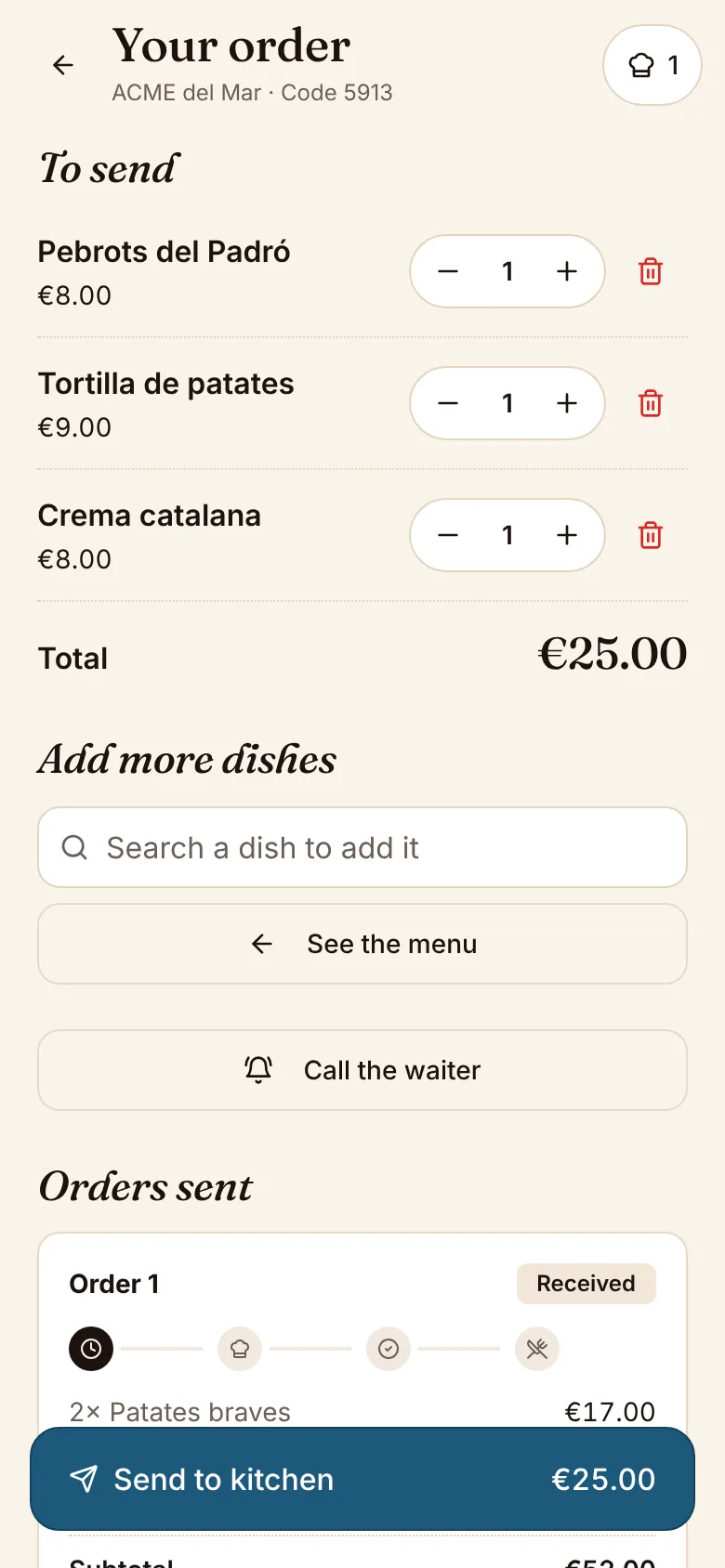
- Table sessions with a 4-digit code
- Shared basket with notes per dish
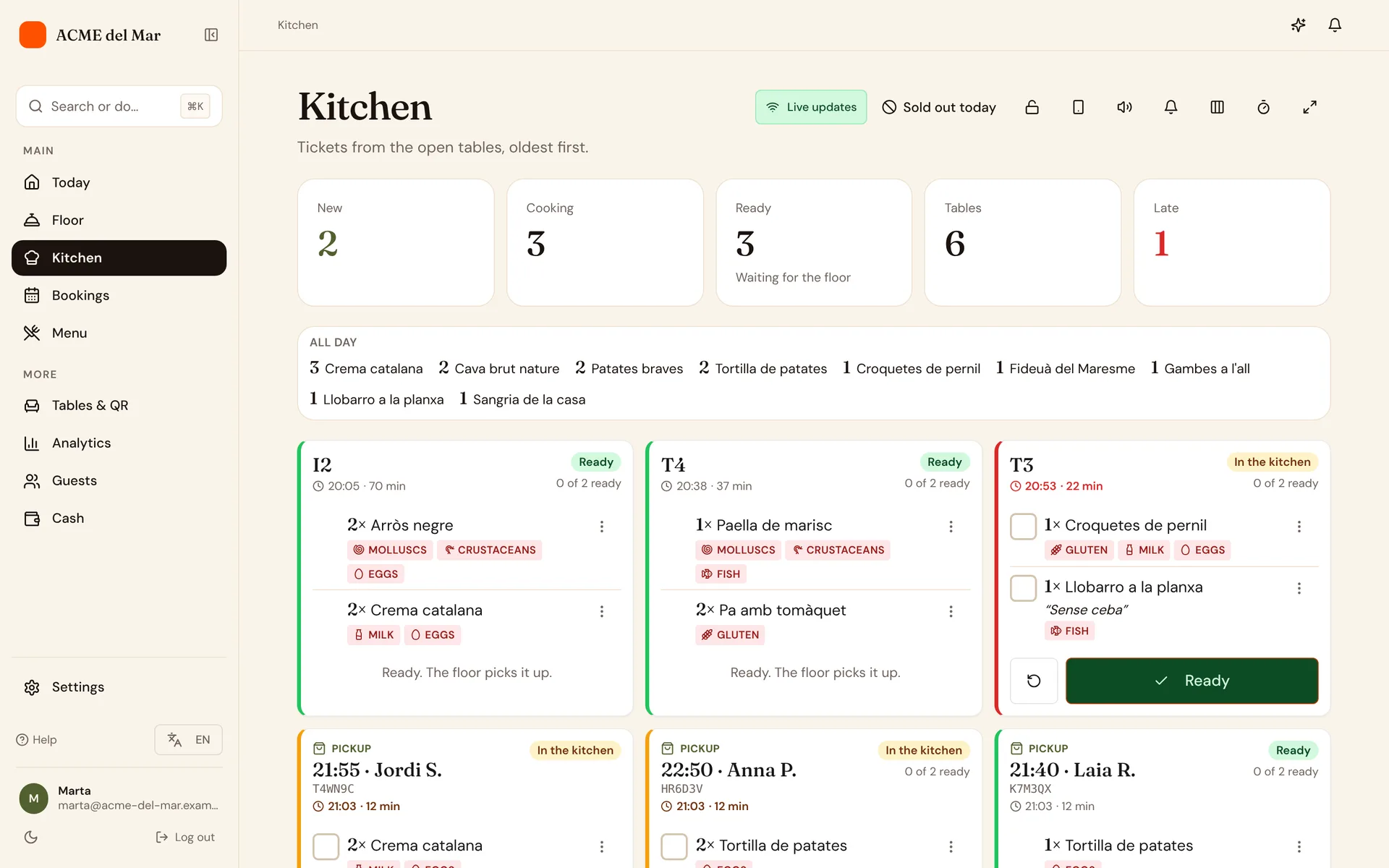
- Kitchen screen with sound alerts
- Floor app for ready orders and bills
- Kitchen and floor mark a dish sold out, and it leaves the menu at once
- Tables grouped in zones: Inside, Terrace and your own, on every plan
Payments
- Online payment through Stripe
- Split the bill evenly or by item
- Tips and refunds
QR and print
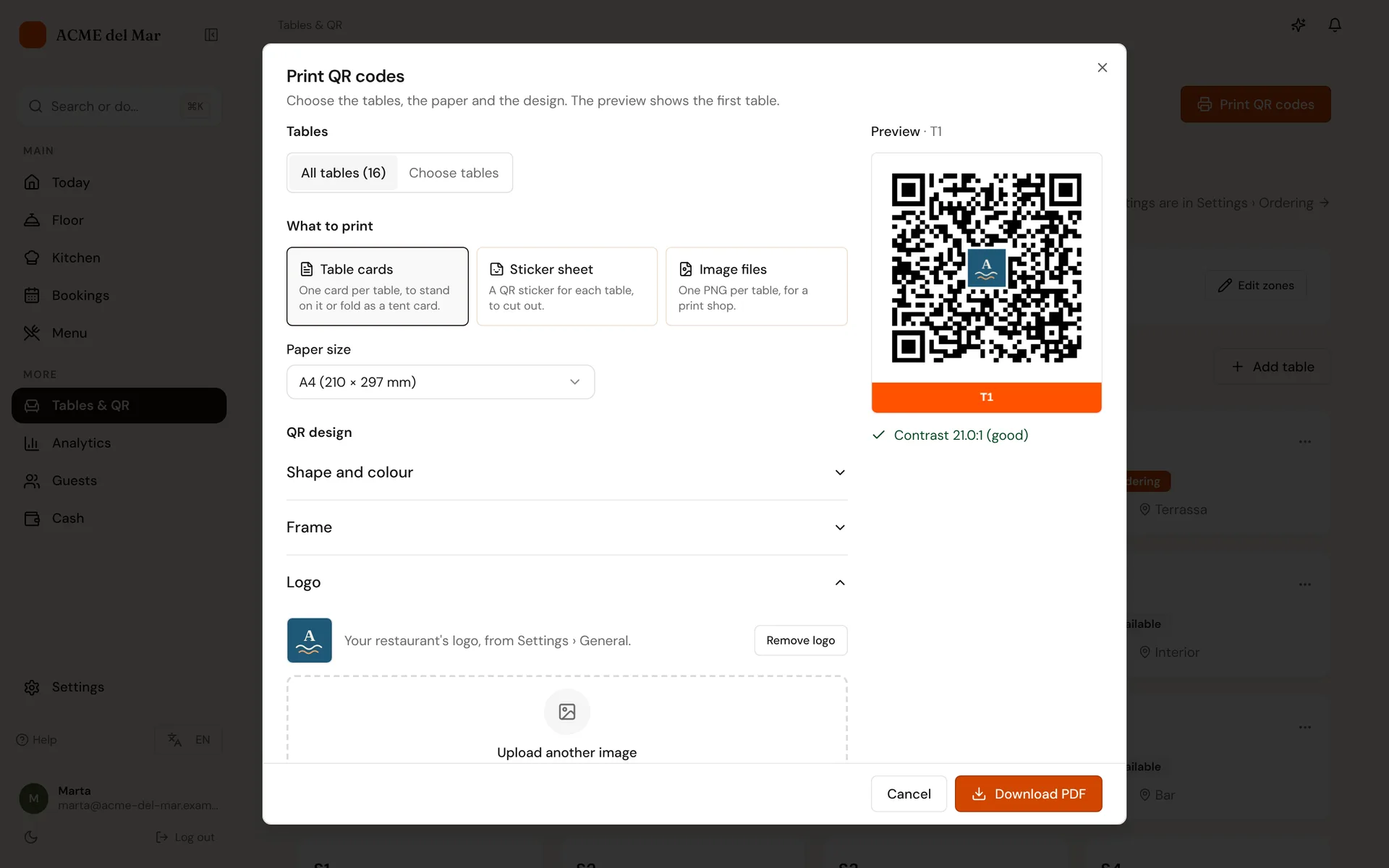
- A QR code per table, in your colours
- Your logo and a frame with the table name
- PNG, SVG and A4 PDF, or all tables in a ZIP
- Printable menu, table cards and a specials card
Reservations
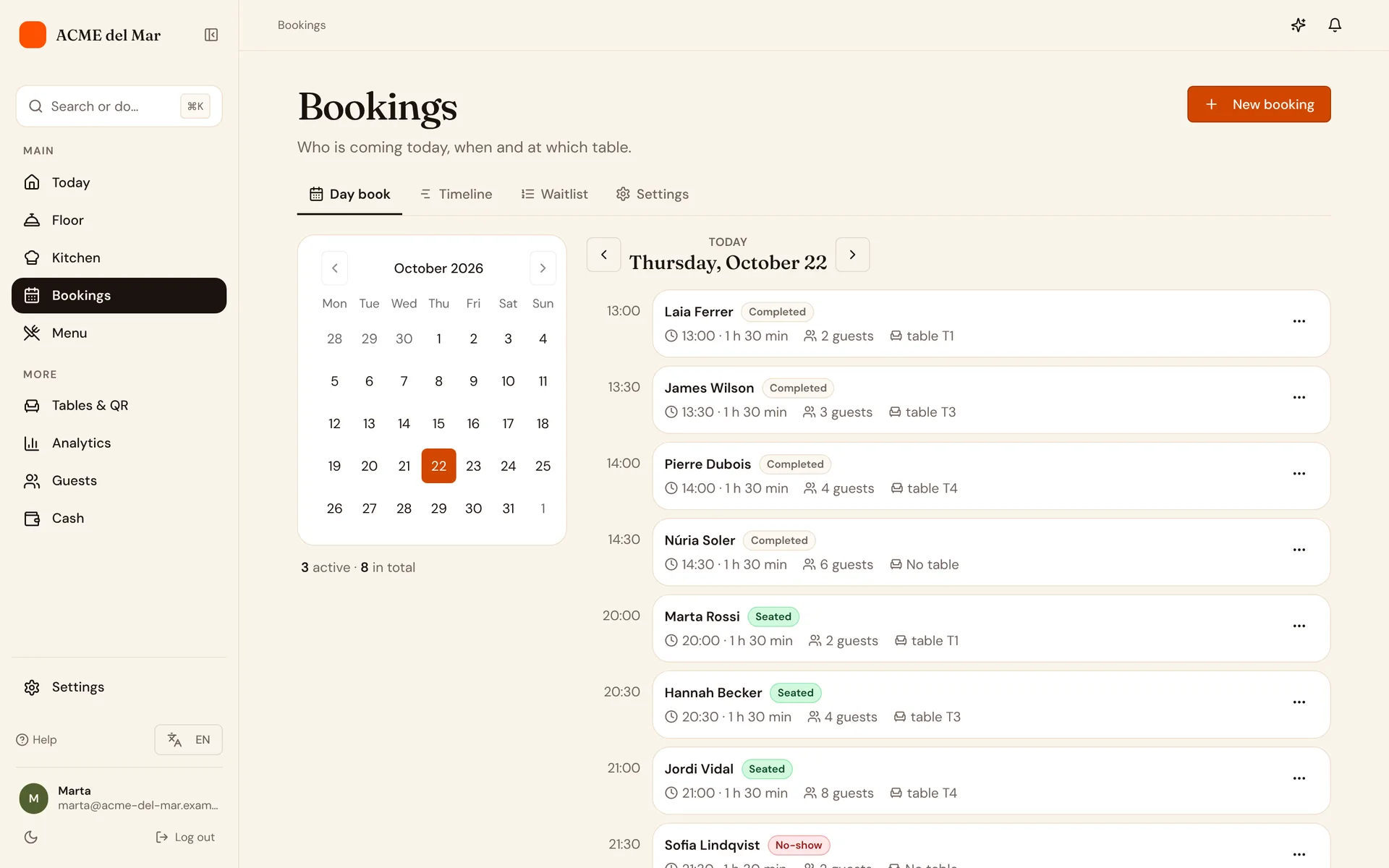
- Public booking page with availability, in your menu's look
- Day view with seating
- Confirmation, change and cancellation emails
- A link for guests to manage their booking
Team and data
- Invite staff by email with a role
- Sessions, orders, reservations and popular dishes
- Export all your data or delete your account
Some features depend on your plan.Compare plans
Every part of ComidaQR
Find the part you need
- AI menu importUpload a photo, get a digital menu in minutes
- Multilingual menusServe guests in 22 languages
- QR customisationBrand your QR codes with your logo and colours
- Print templatesTable cards, stickers and menus ready to print
- Table orderingFrom the table's QR to the kitchen, live
- Kitchen & staffDashboards and roles for your team
- ReservationsCalendar-based booking and walk-ins
- Floor planDraw the dining room, follow it live, replay a service
- Pickup and your linkTakeaway paid online, your link and website button
- Loyalty and guestsStamp card, guest profiles and reviews
- AIAn assistant that knows your numbers
- PaymentsPay from the table, split, tip and close the day
More than one restaurant
Every location, one account
Each location keeps its own plan, menu and team, and you see them together.
Several locations
Several locations on one account, each with its own plan, and a location switcher in the app
From MenuThe group at a glance
Group view: Today and analytics across every location, staff copied between locations
From GrandeOne stamp card for the group
One stamp card for all your locations
From GrandeSee how: One stamp card for the group