GuideJanuary 15, 20258 min read
The Complete Guide to QR Menus for Restaurants
Everything you need to know about implementing QR menus in your restaurant, from setup to best practices.
Why QR Menus Are No Longer Optional
The restaurant industry has undergone a permanent shift. What started as a pandemic necessity has become a customer expectation. Diners now prefer scanning a QR code over handling shared physical menus, and the benefits extend far beyond hygiene.
QR menus eliminate printing costs, allow instant updates when dishes sell out or prices change, and provide a richer browsing experience with photos, allergen info, and multilingual support. If guests also order from the table, you get useful numbers too: how many orders and table sessions you handle each day and which dishes are ordered most.
Choosing the Right QR Menu Platform
Not all QR menu solutions are created equal. The simplest approach: hosting a PDF online: technically works but offers a terrible mobile experience. Customers pinch-zoom on tiny text, can't search for a dish, and you still need to regenerate the PDF every time something changes.
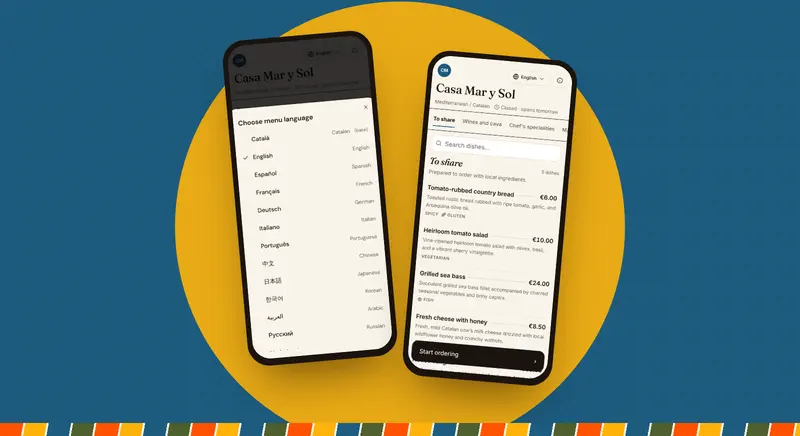
A purpose-built platform like ComidaQR gives you a mobile-first menu that can be offered in 22 languages, with optional table ordering that sends each round straight to a kitchen screen. Look for platforms that offer per-table QR codes, real-time menu updates, and no app download requirement for customers.
Key features to evaluate include allergen management (EU regulations require 14 allergens to be clearly marked), multilingual support (essential in tourist areas), and integration with ordering workflows so the menu isn't just a static display but a functional tool.
Setting Up Your QR Menu: A Step-by-Step Process
Start by digitizing your menu content. If you have a paper menu, AI-powered import tools can extract sections, dish names, descriptions and prices for you to review, saving hours of manual data entry. Organize your menu into logical sections: Starters, Mains, Desserts, Drinks, and any specials.
Next, configure your allergen information. The 14 EU-regulated allergens (gluten, crustaceans, eggs, fish, peanuts, soybeans, milk, tree nuts, celery, mustard, sesame, sulphites, lupin, and molluscs) should be clearly marked for each dish. This isn't just good practice: it's a legal requirement in most European countries.
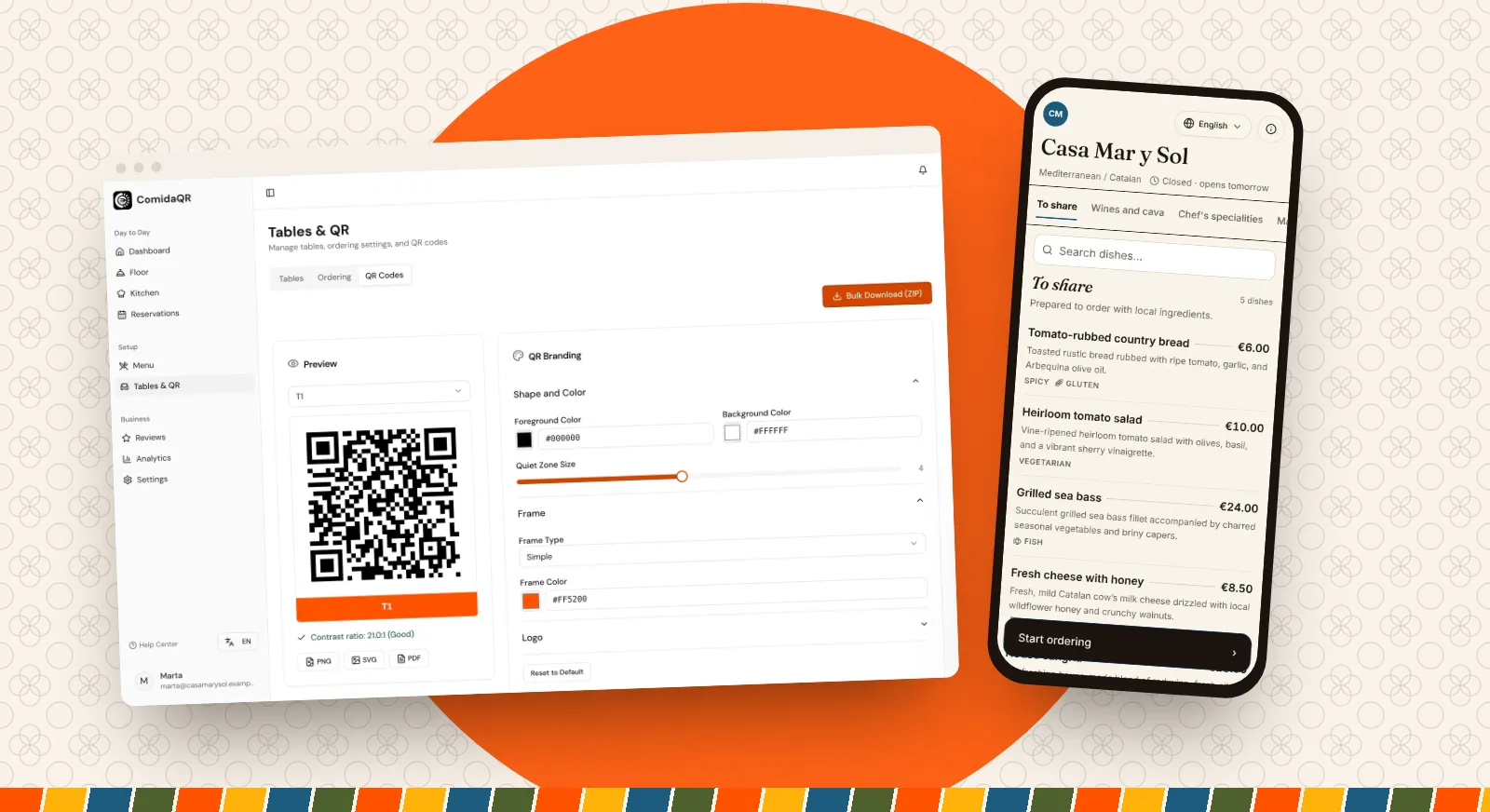
Generate per-table QR codes and decide on your display format. Table tent cards, adhesive stickers, or printed into table inserts all work well. The key is placement: the QR code should be visible without being intrusive, and accompanied by a clear call-to-action like 'Scan to View Menu'.
Training Your Staff
Staff adoption is the most overlooked aspect of QR menu implementation. Your servers need to understand the system well enough to guide customers who are unfamiliar with QR codes, troubleshoot basic issues (brightness too low, camera permissions), and explain the benefits enthusiastically rather than apologetically.
Create a brief training session covering: how to help customers scan, how to update the menu when items sell out, how the ordering flow works if you're using table ordering, and how to handle customers who prefer a traditional menu. Having a few physical menus available as backup removes friction during the transition period.
Optimizing the Customer Experience
The best QR menu implementation is invisible: customers scan, browse, and order without thinking about the technology. Speed is critical: your menu should load quickly even on a weak mobile connection. Good food photography is worth the investment, because a clear photo tells guests more about a dish than a description can.
Menu structure matters more than you think. Group items logically, keep descriptions concise but appetizing, and highlight specials or chef recommendations. Use tags like 'Spicy', 'Vegan', or 'Chef's Pick' to help customers navigate quickly.
For multilingual menus, make the language choice obvious. In ComidaQR the menu opens in your base language and guests switch to theirs with one button, so a short line on the table card such as 'Menu available in your language' helps international guests find it straight away.
Measuring Success
Track adoption rate (percentage of tables using QR vs. requesting physical menus), average order value (from your till), and menu update frequency. If you're still printing physical menus more than once a quarter, your digital menu isn't being maintained actively enough.
Customer feedback is equally important. Ask guests about their experience: was the menu easy to find? Did it load quickly? Could they find allergen information? Use this feedback to iterate on your menu layout and content.